Monday, June 18, 2007

Scratch


Scratch is a new programming language designed to help young people (ages 8 and up) develop 21st century learning skills. As they create Scratch projects, young people learn important mathematical and computational ideas, while also gaining a deeper understanding of the process of design.
clipped from scratch.mit.edu

Scratch is a new programming language that makes it easy to create your
own interactive stories, animations, games, music, and art -- and share
your creations on the web.

Scratch is designed to help young people (ages 8 and up) develop 21st century learning skills.
As they create Scratch projects, young people learn important mathematical
and computational ideas, while also gaining a deeper understanding of the process
of design.

Scratch is available free of charge, go to Download.
Currently available for Mac OSX and Windows (system requirements)

To find more about the educational ideas underlying Scratch, visit our page for Educators.

To learn how to use Scratch, go to Support.

To read research papers on Scratch, see Research.

To find out who is working on Scratch, see the Credits.

To read what people are saying about Scratch, see Quotes.

To hear the latest Scratch news stories, visit News.

imagine • program • share

 blog it

Sunday, June 17, 2007

Safari Web Browser


The big news over the last week was the release of the Safari Web Browser
for Windows. (www.apple.com/safari/download/). Apple's browser is touted as
being faster and more secure than any Windows-based browser, and according
to Apple there were over a million downloads of the Beta (almost final)
version in the first few days of release.

Saturday, June 16, 2007

BAKESPACE


OK and now for something completely different.

If any community deserves an online social network, then it’s BakeSpace BakeSpace is just like any other social networking service except for the fact that it’s geared for cooks.
Once you'r a part of this service, members can expect to be able to create a blog, customize their own virtual kitchen, meet other cooks, and find and share recipes. There is also hundreds of tasty recipes.

Wednesday, June 13, 2007

DVDVIDEOSOFT.com


Please Note
I have not as yet tried any of the programs on this site. However it does come recommended and according to McAfee Site advisor it is OK..
It is not easy to choose a right program for your task. On this site you can see results of our investigations. We hope it helps you to make the right choice!

Monday, June 11, 2007

fix8

Do you want to make cool animated video clips but don't have time to learn complicated video editing and animation software?

Are you looking for a new creative tool that includes free avatars and accessories so you can dress yourself up and make your own creative, hip, rich animated videos on the fly?

Look no further! fix8 IS HERE!

ooVoo

ooVoo is a free, standalone desktop chat application that has both a text and video chat capabilities. Its official launch is next week, but the beta has been available since mid April.
There are a ton of chat clients out there, so one of the things it has done to differentiate itself is multiperson video chat. ooVoo can handle as many as six people in one video conference, which is two more than what iChat is capable of. Users can drop in and out of conversations, and the video windows will scale with a similar effect to iChat's "swoop." Along with video, users can chat among themselves with their computer's microphone or a headset. There are volume controls for both speakers and the microphone right in the chat window, a handy addition.
You can ooVoo me on the top left link on this site.My id is uktony Go on>Why not be the first to try it?

DVD Shrink

It's your own personal on-disc therapist! No, actually it's a handy program for people who want to create backup copies of DVDs on their PC's hard drive. Later, they can use Windows Media Center or another DVD media player to play the DVDs on their computer. DVD Shrink lets you rip the DVD to your hard disk in various formats, including a lossless one that retains the original disc's image and audio quality. Other format options let you save hard-drive space. And you can customize the quality setting for any new DVD.

DVD Shrink preserves all of the original DVD's content, including menus, trailers, and subtitles. Or if you prefer, you can eliminate any such content. Best of all, the program is
free.

Express Burn Burning Software for Windows

Express Burn Burning Software for Windows
Burn Audio CDs and Data CDs, DVDs or Blu-ray Discs
Express Burn is a free cd burning program for Windows that lets you create and record audio and data CDs under Windows.

With Express Burn you can record a data or audio discs quickly and easily by dragging the files you want onto the icon and clicking Burn CD. The software then does the rest, including converting the files if required. Express Burn is also the fastest CD/DVD writing program in the world using proprietary optimizing systems. But don't believe us, try it for yourself. Click here to download now.

This CD recording software is free.

We make Express Burn free in the hope you will like it so much you will decide to upgrade to Express Burn Plus. Burn Plus includes the ability to burn Data DVDs, HD-DVDs and Blu-ray Discs. It also has more advanced features like the ability to create and record ISO images and support for many more file formats (the basic version only supports wav and mp3 for audio discs). You can download the Express Burn Plus demo or purchase Express Burn Plus online.

PLEASE NOTE The burning software is just ONE of many excellent products from this company and I feature it as it has a free version.However go to THE MAIN PAGE to see all they have to offer. I will list it once I have tested it.
Tony

Foxy Tunes

FoxyTunes for Your Browser

Do you listen to Music while surfing the Web? FoxyTunes lets you control almost any media player and find lyrics, covers, videos, bios and much more with a click right from your browser.
Though it runs as an unobtrusive toolbar in your system tray, it offers you a full set of media controls in the form of small clickable icons. The program identifies what's playing (including displaying the album art), is skinnable, and can be controlled via keyboard shortcuts. It supports more than 30 media players, and runs as a Firefox extension, though it also works in SeaMonkey and Flock browsers, as well as in Mozilla's Thunderbird e-mail client. A beta version of Foxy Tunes for Internet Explorer is in the works.

Saturday, June 09, 2007

Electrocity


Like a mini-version of SimCity, the Flash-based Web game Electrocity lets you develop your own metropolis from the ground up. Rather than existing solely as a entertaining Web diversion, however, Electrocity has a hidden agenda.

The sponsor of the game, Genesis Energy, is an energy provider and retailer in New Zealand. Electrocity was developed to increase public awareness about energy usage, its cost, and its effect on the environment.

Electrocity is a fairly simple, turn-based strategy game. You get 150 turns to create your masterpiece, but the challenge is to allocate resources wisely as you build. One-hundred and fifty turns may seem like an eternity, but many of these will be skipped in the process of gathering cash and natural resources, so it's essential to build infrastructure early. A full game at average speed takes about 30 minutes. It's also easy to save any game in the middle, then restart later using a personalized city code the game assigns you.

Played on a 5x5 grid, Electrocity starts you off with a small urban center, a population of 10,000, a 25 percent tax rate, and one wind farm that provides all the town's energy. Surrounding areas are randomly populated with forests, plains, mountains, rivers, or oceanfront property.

Each area may provide resources that can only be discovered by prospecting. Once you've discovered coal or gas, you can build plants and start selling energy on the open market. You can raise and lower taxes, and upgrade your wind, coal, and gas plants as you see fit. Once you amass enough cash, you can start building luxury items such as sports stadiums, ski resorts, or beaches to attract a larger population. If you grow your population too quickly, however, you'll get crunched on your energy usage and end up paying through the nose on the open market.

I previously thought that I was much better at turn-based rather than real-time strategy games, but after playing through Electrocity, it turns out that I stink equally at both. Aside from building coal plants where there was no coal, my addiction to alternative energy and campgrounds proved to be idiotic.

On my first try, I accidentally went bankrupt in round 68 after building a large geothermal plant that send me plummeting into the red. My population barely peaked above 30,000 people. The second time, I lasted the whole 150 turns, but I couldn't seem to maintain more than 40,000 residents or keep much more than $1,000 in the bank. Good thing I'm not the king!
Electrocity top city

The city of Heter provides massive energy and numerous tourist destinations for a top rating in the Finished Cities chart
(Credit: CNET Networks)

If you make it to the end of the game, you'll receive a score based on your energy management, popularity, population, and environmental prowess. I spent all of my time logging and planting forests, so it's no surprised my environmental grade was "A." My energy management (since it never advanced beyond large wind farms and small coal plants) also received an "A."

My popularity was about 90%, which only merits a "B+" grade, and I dropped the ball completely on population, averaging 34,150 citizens, which received a "C-." Oh well. My overall score wasn't much better: 76 for a "B-." After you've received your final score, you can submit your city to the Finished Cities page, which also enters you into a prize drawing.

The Finished Cities ranking on the Electrocity Web site is determined by final score, though maximum population seems to be a tie breaker. Currently the city of Heter by the player Rong is No. 1, with a whopping population of 3,897,182. Your strategy is determined slightly by the random environment you begin with, but it appears that Rong topped the list by building three large nuclear plants on the edge of town, along with oceanfront development to bring in the tourists. Your mileage will vary. My only advice is don't build a large geothermal plant without the scratch to back it up. Good luck, and happy urban planning!

Reclaim Your Brain Before It's Too Late


The brain is the engine that drives the thinking process. Like all parts of our body the brain also needs to be exercised to get the most out of it. Studies show that the human brain starts slowing down at around age 30. There are ways to keep the brain up to speed, and that's where Lumosity comes in. The site describes it as "the brain fitness program designed by neuroscientists that is scientifically demonstrated to improve your memory, attention and processing speed."

Lumos Labs have developed some quick and fun games to help stimulate the brain in those 3 areas. Find out how quickly you think, how well you remember, and how effectively you attend to the world around you. Play these IQ games to get your brain back up to speed and then brag about your scores in a comment. The best part is, it's very addictive!

Top 5 Most Addictive Games

WARNING: These flash games leave no time for anything else. Play at your own risk!
5. 3D Missile. Go through nine levels of obstacle-prone tunnels.
4. 3D Logic Cube. Connect the colored squares to complete the cube.
3. Disorientation. Move to the portal with the arrow keys and try not to die.
2. Desktop Defense. Stop the creeps from getting across the screen with gun towers.
1. ZWOK. Turn-based multiplayer online game with projectile weapons like Worms (or Scorched Earth).
With thanks to the thinking blog

Friday, June 08, 2007

AudioFlash

AudioFlash allows you to quickly and easily add audio to your website by creating MP3 compressed audio files and a set of Play, Pause and Stop buttons (SWF Flash) enabling visitors to have complete control over the audio.

Once your audio and buttons have been created, you can either copy and paste the generated HTML into another webpage or use the built-in FTP client to upload everything as-is to your server.

Here are just a few ways you can use this software:

* Use it to record information to help sell your product or service
* Create multiple answers to frequently asked questions
* You can create audio tutorials for school or college class
* Explain a problem more clearly for technical support
* Create online audio information products you can sell
* Use it to create podcasts on your chosen subject
* Record audio notes on new tricks and techniques for software programs and upload them to your server, so you never forget them

and these are the uses I've just thought up - I bet you can think of a lot more ...

AVG FREE

I KNOW that ALL of you who come to this site also have the knowledge NOT to surf the Internet without GOOD Virus protection running on there machines. HOWEVER ---Just in case you have forgotten, or your running Vista and therefor do not think you need it, PLEASE think again.THIS is the main page to download the FREE editions of AVG's Ant Virus and Anti spy ware programs together with their new Root Kit program (Its at the bottom of their page) AND of course its ALL FOR FREE. I would however suggest that you buy one of their programs even if its only as a thank you for protecting you on line?

Thursday, June 07, 2007

Answers.com - Online Dictionary, Encyclopedia and much more

Answers.com - Online Dictionary, Encyclopedia and much more

Get Answers faster! Get free downloads and add-ons now.

1-Click AnswersTM: Something for everyone
No matter who you are, what you like to do or what your favorite ice cream flavor is, our free 1-Click AnswersTM software will help you get definitions, facts and more in one click.
Download 1-Click Answers for Windows and Alt-Click on any word in any program on your screen to get instant definitions and facts in the form of a small, unobtrusive bubble called an AnswerTipTM. Learn more about it.
Mac user? 1-Click Answers is available for you, too. Get it here.
Firefox user? Make your browser AnswerTips-enabled: Add the Firefox 1-Click Answers extension.
Webmaster or blogger? You can enable AnswerTips on your own site. Find out how.

AllCDCovers

What is AllCDCovers?

More than just free download of the latest CD covers and DVD covers. AllCDCovers strives to bring you the ultimate user experience with a friendly interface and complete music and movies information. Browse our album art collection and download your favorite CD covers

The All-New Netscape Navigator 9.0

Speed, Flexibility, and Social Integration

Netscape Navigator 9 is available as a standalone installation for Windows, Mac OS, and Linux. The automatic update feature in your current Netscape browser will not upgrade to 9.0. Please download the new version now for the newest updates.
Get Navigator 9!ver 9.0b1 (Windows)

Netscape features one-click searching from the address bar; Quick Launch, which reduces the browser start-up time; Click-to-Search, which allows users to select a word within a Web page and search; improved instant messaging, including support for buddy icons, file transfers, and buddy alerts; and tabbed browsing, which allows users to view multiple Web pages in a single browser window.

Version 9.0b1 adds URL correction for common typos, in-browser voting on popular, a sidebar minibrowser, and compatibility with Firefox 2 extensions.

Wednesday, June 06, 2007

Desktop Tower Defense

Game Description

Desktop Tower Defense

Technorati Tags:
A live action puzzle game written for fun in flash. You have to stop your enemies, or “creeps,” from traveling all the way across the screen. Tower pieces can be purchased and placed on the map to kill the creeps before they make it across.
Game Instructions:

1-6 selects a Tower & 0 deselects. U upgrades the selected Tower. S sells the selected Tower. Holding down Shift allows you to place multiple Towers one after the other. Space to toggle pause.

Nymbler


Nymbler is the smart baby-name guide that responds to your personal taste. Just choose a few names that appeal to you or let Nymbler offer ideas. Then press "Find Names" and Nymbler will start using its expert knowledge to brainstorm names tailored to fit your style.

The Baby Name Wizard Nymbler makes name connections with insights from baby-naming expert Laura Wattenberg, author of The Baby Name Wizard.

Ready to find your perfect name?

Tuesday, June 05, 2007

Google Earth 4.1 Launched

Technorati Tags:

Google Earth 4.1 Launched

This month, we launched Google Earth 4.1. One thing to note on all client versions of Google Earth is the addition of start-up tips, which appear when first launching the application. These tips give new users an introduction to the tools and features of the product, while showing established users helpful tips they might have missed.

We've also launched in seven new languages: Dutch, Korean, Brazilian Portuguese, Russian, Czech, Arabic, and Polish, bringing the total number of supported languages to 13. (Versions of Google Earth in English, French, Italian, German, Spanish, and Japanese have been available for some time now.) In addition, we've enabled geocoding (or in simpler terms, the ability to locate an address on a map) in five new countries: Brazil, Poland, Czech Republic, Hungary, and Portugal. This is a big step towards making Google Earth as global as our users!

Additional new features include a "view in Maps" button and improved support of Microsoft Vista.

Animator vs. Animation

clipped from www.deviantart.com

 blog it

Monday, June 04, 2007

Windows Live Writer Beta

Technorati Tags: ,


New version of Live Writer makes blogging easier
My blogging client of choice has been Windows Live Writer ever since I discovered an early beta. I'm happy to announce that it just got better, with the release of a new beta version that added several of the features I'd been wishing for - including the ability to "set and forget" publication dates for posts. You can also insert videos, emoticons and tables with one-click ease.

Saturday, June 02, 2007

Opera 9.2 Web browser

Ready for a revolution in the way you access the Web sites you can't live without? Try Speed Dial™ in Opera's newest Web browser, Opera 9.2.
It makes the fastest even faster. Oh and whilst your at it have a look at Opera for Archos

Thursday, May 31, 2007

PC INSPECTOR™ File Recovery 4.x

PC INSPECTOR™ File Recovery 4.x is a data recovery program that supports the FAT 12/16/32 and NTFS file systems.

The current version 4.x replaces the previous version 3.x, which is now over 6 years old.

Here are some of the new features in PC INSPECTOR™ File Recovery 4.x

• Finds partitions automatically, even if the boot sector or FAT has been erased or damaged

• Recovers files with the original time and date stamp

• Supports the saving of recovered files on network drives

• Recovers files, even when a header entry is no longer available. Competition products cannot recover such files. The "Special Recovery Function"

PortableApps Suite

your computer, without the computer™

PortableApps Suite™ is a collection of portable apps including a web browser, email client, office suite, calendar/scheduler, instant messaging client, antivirus, sudoku game, backup utility and integrated menu, all preconfigured to work portably. Just drop it on your portable device and you're ready to go.
Included Applications

PortableApps Menu ScreenshotAll versions of the PortableApps Suite include the integrated PortableApps Menu (pictured at right) and the PortableApps Backup utility along with a set of custom icons, an autoplay configuration, folders and a quick start shortcut. In addition, the packages include:

PortableApps Suite (Standard Edition): ClamWin Portable (antivirus), Mozilla Firefox - Portable Edition (web browser), Gaim Portable (instant messaging), OpenOffice.org Portable (office suite), Sudoku Portable (puzzle game), Mozilla Sunbird - Portable Edition (calendar/task manager) and Mozilla Thunderbird - Portable Edition (email client) and runs comfortably from a 512MB drive.

PortableApps Suite (Lite Edition): Uses AbiWord Portable (word processor) instead of OpenOffice.org Portable and runs comfortably from a 256MB drive.

PortableApps Suite (Base Edition): If you'd like to pick and choose exactly which apps to include, you can try Portable Apps Suite (Base Edition). This is a stripped down package with just the PortableApps Menu, PortableApps Backup utility and custom folders, icons and autorun. It's less than 1MB installed, so it's a great option for smaller drives.

Ultra Hal Text-to-Speech Reader with NeoSpeech VoiceText

The Ultra Hal Text-to-Speech Reader application will read your documents out loud in one of its many high quality voices. This can be a great tool for proof reading because hearing your text out loud helps you spot all mistakes. This program can also be used for reading e-books. Why strain your eyes trying to read a book from your monitor when your computer can simply read it out loud for you? This program will also read all standard Windows dialog box messages out loud to you. This can be a great aid for the visually impaired or for anyone who just wants messages to be read out loud. The Ultra Hal Text-to-Speech reader is also able to read the clipboard contents. With this function you can easily have it read your email and web sites that you visit. This program is also able to speak incoming instant messages out loud. Now when you chat with your buddies online you will hear what they say instead of just reading it. The Ultra Hal Text-to-Speech reader is compatible with the AOL, AIM, ICQ, and MSN Messenger clients. In addition to speaking text out loud, this program is able to write audio data directly to Windows WAV files. You can convert all your documents and e-books into WAV files and then burn them to audio CDs or convert them into MP3 files. You can listen to your e-books on the road with a standard CD or MP3 player! This program has several high quality voices to choose from and gives you control over speed, pitch, and volume.

Sunday, May 27, 2007

Sclipo

Barcelona-based Sclipo, the aggregating site or instructional videos in English and Spanish, has won first place in the Startup 2.0 Awards held May 24, in Spain.

Sclipo’s platform is welcome for showing how-to videos all skills, such as cooking, overall health, technology and sports. The content is all user-generated and rated. Other winners include Israel’s 5min , another instructional video aggregator, in second place, and Properazzi, a property search engine for Europe, came in third place. Looks like Startup 2.0 is pretty excited about instructional aggregating sites.

Bring Light


Bring Light is a Network for Philanthropists that will announce its launch at the NetSquared Conference in San Jose next week.

Bring Light aims to empower the ideals of philanthropy, by providing a network in which people can post their cause and raise money for their organization. Bring Light lets you connect with others as well, and see the causes they’re interested in. Each cause has a donate button so site visitors can contribute to the cause, and a bar on each page indicates the percentage raises, as well as the dollar amount needed. There are basic social networking functions for commenting and sending private messages to other users.

RSS in Firefox


Although many seasoned RSS users have a standalone RSS reader of choice, many people use Firefox to read their RSS feeds. Besides the standard Live Bookmark feature, there are several more advanced RSS addons for Firefox out there, some of them being developed for years now. Time to show you the one that I use.
Wizz
Wizz definitely deserves the title of a “full-featured RSS reader”. It’s available in two modes: it can either sit in your sidebar or freely roam your desktop as a separate window. Both versions have the same basic organization: vertical space divided in three parts: the list of feeds, followed by the list of feed items below and finally the actual content of an individual feed. It doesn’t end at that: a lot of thought has been put into the product, and details, like the ability to middle click an item and have it open in a new window, or feeds opening (but not being marked as read) on mouseover, clearly show this.

There’s also the ability to import/export to OPML, integration with live bookmarks, as well as the ability to save/search RSS feeds and create watch lists. Hell, even the weather is included.

Sudokular


sudokular is an online community for sudoku game lovers that has recently launched.

With sudokular, you can play sudoku online by choosing your game type: the daily challenge or a quick game. Pick the settings you want, depending on your level of expertise, and get going with the sudoku fun. Games can be saved as a gif or PDF file so you can print it and take it on the go. Daily challenges are also accessible through its RSS feed. Those games that are completed online will be factored into your total score. The sudokular puzzle solver will let you enter in an incomplete puzzle that you’re struggling with, and solve it for you. Sudokular has added the ability to play without registering, but you cannot participate in the daily challenge or interact with other users unless you become a member.

Friday, May 25, 2007

Roxio Buzz

Roxio Buzz

The world's first simple video editor built entirely for sharing video on the web. Direct support for publishing to YouTube and GoFish!

Roxio: Video and Slideshow Publisher (beta)

Language: English

Type: Video

Posted: 5/14/07 - build 100B15I

Cost: FREE (beta)

Monday, May 21, 2007

Scratch


Learn programming the easy way.
Here's a new tool for teaching kids to create graphic software programs, including games and simulations. It's called Scratch and it runs on Windows and Macintosh OS X, and was created by the same programmers at MIT who made the Lego Mindstorms programming tools. Even if you're not a kid, you might enjoy playing with it. Read more here:

XNeat


XNeat is an easy-to-use FREEWARE Taskbar, Titlebar AND System Tray Utility that Extends Windows' features.

XNeat extends windows functionality through extra item added to the Windows Taskbar right click context menu.

XNeat can help people of various professions in their daily routine and everyone can find a way to use this program on his or her computer both in office and at home.

Read about the advantages XNeat will provide you with, download it and in a few days you will not be able to do without it!

If XNeat lacks some features you need or if you know how we can improve our software, please contact us.

GREAT GAMES

I think its about time I introduced you to my GREAT GAMES SITE
Please feel free to look through what's on there, but if you want me to point you in the direction of what I consider to be the best games on there then try out these ones, BUT ONLY IF YOU HAVE LOADS OF TIME TO SPARE.
Tony
Samarost
One of my all time favorite online games has now got a Big Brother in a new version called

Samorost 2.
It has the same incredible graphics and the same basic game play - click on something to see what it does and get from
one "level" to the next. Guaranteed to help you do some quality time
wasting! But PLEASE if you have never played the first version then try that one first----- GOOD LUCK.

If your Happy with the above games then these links take you to 3 games similar to Samarost. They seems like simple point-and-click games at first, but you will soon
discover that it takes some planning to get through them.

Hapand 1

Hapland 2

Hapland 3

If ANYONE out there likes these games and knows of any other similar ones then please let me know.
Tony

"And Yet It Moves"


"And Yet It Moves" is basically a mixture between a jump and run and a puzzle game, with the extra ability to rotate the world. The player can run left, right and jump, but can also turn the world clockwise and counterclockwise by 90 degrees. When this happens physics works the following way: as soon as rotation starts all objects get frozen and after rotation objects continue to move with their velocities (direction and speed) they had before. With this ability you can move objects and yourself but also need to keep orientation and watch out for dangerous situations. Don't worry though, you' re made out of paper so you can die as often as you want to.

The overall goal is to get through this collage of ripped paper. And if you are quick - and don´t die too often - you might get into the highscore list.

Sunday, May 20, 2007

Panoramio

A variety of online services have attempted to tackle the challenge of establishing the geographic location of photos, but I think that Panoramio is one of the best solutions.

I say this partly because in addition to locating photos, Panoramio also stores up to 2GB of your photos, so it’s also a nice solution for storing your pics.

BeInSync v3.0.74

BeInSync for Home Users
Here are some signs that you are suffering from information overload:

* Do you own more than one computer?
* Are your family photos scattered over your computers?
* Can you share large videos, photos and files with your family and friends?
* Are your valuable files protected and backed up?

With BeInSync you can easily access, share and protect your data:

Sync and organize your computers

BeInSync can keep your folders in sync across all the computers in your account. For example, you may specify that you wish to keep your 'My Documents' folder in sync between your desktop and laptop. From now on BeInSync ensures your folders are always identical and up-to-date on both computers. So you don't need to manually transfer your photos using a USB thumb drive anymore.

Share videos, photos, documents

Select the BeInSync 'share' option and let your friends or family easily browse through shared folders. And there is no limit on the file size or amount of data you can share!
BeInSync is fully secured and will not allow anyone you haven't invited to access your computer, and will not allow anyone to browse outside the shared folders designated by you.

Backup your files

BeInSync lets you maintain an automatic backup of your important files. Whenever you edit or add a file, BeInSync can keep a snapshot of this change so you can always roll backup and recover any file you may have accidentally lost or damaged.

Tuesday, May 15, 2007

iPod To Computer Transfer -- Copy from iPod to computer


iPod To Computer Transfer -- Copy from iPod to computer: "Have you been searching for software which can transfer music from iPod to computer? Most of us use iTunes to sync their iPod with computer, but however, we cannot copy from iPod to computer by using iTunes. We may lose music when re-installing system or when synchronizing with another computer, or on some certain occasion.

Now, with iPod to Computer Transfer, you can transfer whatever music you like from iPod to PC. It only takes you few steps to get music off iPod. Just select your favorite music and export them to your PC. It's very easy to use and totally free!"

Microsoft Photo Story 3 for Windows: make show-n-tell cool again


Microsoft Photo Story 3 for Windows: make show-n-tell cool again: "Add stunning special effects, soundtracks, and your own voice narration to your photo stories. Then, personalize them with titles and captions"

See it in action

Mixcraft 3 - Great Multi-Track Recording Software to record, remix and edit music!


Mixcraft 3 - Great Multi-Track Recording Software to record, remix and edit music!


Mixcraft™ is a great multi-track audio recorder that enables you to record your band, create a podcast, create mash-ups or remix a song. Mixcraft functions as two programs in one! Use it as a multi-track recorder or as a music loop remix program. As a multi-track audio recording program, Mixcraft allows you to record and play multiple tracks at one time. Add effect processing such as reverb, delay, flanger or any 3rd party VST™ or DirectX™ effects. Mix down your recording to CD or MP3 directly in Mixcraft. No need to dust off your old four track recorder! As remix software, it supports Apple Loops™, Acid Loops™ and our own custom loop format. Mixcraft’s Song Kits allow you to create your own song in dozens of styles to sing along or rap to. Creating your own loop or extracting a loop from a well known song is a few clicks away. With Mixcraft, you can always be on the beat! Even with all this power, Acoustica engineers have kept the design easy-to-use and clean. So download a free trial or purchase Mixcraft today!

Microsoft Malware Protection Center Preview - Homepage

Microsoft Malware Protection Center Preview - Homepage
Notice: Welcome to the Microsoft Malware Protection Center Portal Preview. This portal will officially launch in early July and will have additional features such as malware sample submission. We welcome your feedback on the portal preview and on additional features you would find useful.

Monday, May 14, 2007

Sky News - Download New Madeleine Poster


Sky News - Download New Madeleine Poster

The McCann family has produced a new poster of Madeleine who went missing on the Algarve on Thursday May 3.
The photo clearly shows her distinctive right eye, where the pupil runs into the blue-green iris.
t is this distinguishing mark that will identify Madeleine to those on the lookout for her, according to aunt and uncle John and Diane McCann.

You can download the poster here.

:: The number telephone number displayed on the poster is for people phoning from within the UK who may have information.

:: If you are dialling from outside the UK then phone 0044 1883 731 336

PLEASE if you are reading this in FRANCE then I ask that you pass it on to as many people as you can within France. The reason being that French News Sources do not appear to have publicised this terrible event, and as the French border is next to Spain (Where she might have been taken)it is important that this poster is passed on.

Many Thanks to those who pass it on and my apologise for not being able to ask in French.
Tony

Thursday, May 10, 2007

My 101


The learning experience at Sony 101 is better than ever. We have a new look, new features, and even a new name -- My 101.

Visit My 101 today, and explore the new site!

To help you get more value from every course, you can now:

Quickly see the featured courses on the My 101 home page
Enroll in a course and begin immediately, working at your own pace throughout the lessons
Get a PDF of the course materials after completing a quick survey


Your satisfaction is our top priority, so be sure to continue to let us know what you think. Simply submit the survey at the end of your course. We look forward to your feedback!

Wednesday, May 09, 2007

Joopz


JOOPZ
is a web-based text messaging service that enables “web texting” – two-way communications from the Web to any mobile phone in the U.S. and Canada... and back!

Confused? Find out more.

Tuesday, May 08, 2007

YamiPod v1.2


YamiPod v1.2
YamiPod is a freeware application to efficiently manage your iPod under Mac OS X, Windows and Linux. It can be run directly from your iPod and needs no installation. Take a look at the feature list to find out what it can do and feel free to suggest anything that might be missing.
SCREENSHOTS

Qlock.


Qlock.
Yes, the world keeps on spinning, and time zones are a fact of life, however, you can understand them better with Qlock.

Qlock does offer a desktop download for Windows, but their Web site functionality is more than enough for anyone looking to quickly figure out what the current time is a round the world. Their interactive map shows you which regions are experiencing sunlight and which regions are still in the dark

DivX Play v6


DivX Play v6
Watch movies, and create your own compressed video files, with this free software package.
Watch movies that have been compressed using DivX, and create your own DivX files from DVDs or other digital video files saved on your PC. DivX uses MPEG-4 format, which allows videos to be compressed to about 15 percent of the size of a standard DVD. This in turn lets you fit your videos on a Zip disk, burn them on a CD, upload them to a file sharing network, or play them over the Web. Because of MPEG-4's ability to compress video so powerfully, some call it "the MP3 of the video world."

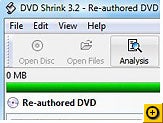
DVD Shrink


DVD Shrink
DVD Shrink is software to backup DVD discs. You can use this software in conjunction with DVD burning software of your choice, to make a backup copy of any DVD video disc.

DVD Shrink will also burn your backup DVD, if you have installed the latest version of Nero or if you download CopytoDVD. You can also download a demo version of Nero here. If you already possess alternative burning software and prefer to stick with it, then you can still use DVD Shrink. The output from DVD Shrink can be saved as files on your hard drive, which you can then burn with software of your choice.

DVD Shrink is free software. You should never pay for DVD Shrink.

Specifications:

DVD Shrink - DVD Ripping and Backup
Latest Version - 3.2.0.15
Operating System Support - Windows 9x/2000/XP
License - Freeware

Friday, May 04, 2007

Fleck


Fleck: bouncing sticky notes on any Web site
a free Web annotation tool for marking up blogs, Web sites, and social networking profiles with little sticky notes. The service launched late last year as a Firefox-only tool and has since added compatibility with Internet Explorer. Fleck, like other annotation tools, can be a dead-simple way to collaborate and leave visual feedback for others without the hassle of software or the complexity of more advanced business collaboration tools.

Managing annotations with Fleck is very simple. Just plug a URL from any Web site into Fleck.com and you're ready to go. You can create and move around small yellow bullets that double as full-sized sticky notes when you expand them. Everything is managed from a floating toolbar that resides on the bottom of your browser window. The toolbar gives you straightforward access to add and share annotations with others. You can send off your notes to someone via e-mail or publish them straight to your blog if you're a WordPress user and are willing to install the plug-in on the server that's running your blogging tool.

Annotations show up in two ways: either as a bullet or a full sticky note.
(Credit: CNET Networks)

What's more interesting is the Firefox extension Fleck launched last month. Once installed, it shows any publicly available Fleck markups for the page you're currently visiting. It's reminiscent of the Smart Digg Button extension we wrote about last week, although a little less creepy. By default, all Flecks are turned on as public, although users can set them to be private by checking a small box.

Microsoft PowerToys for Windows XP

Microsoft PowerToys for Windows XPThey're back...and bigger and better. Microsoft PowerToys for Windows XP Comprises 10 separate Windows XP extras, each one intended to enhance the Windows XP experience in one form or another. Download now

PhraseExpress v4


PhraseExpress v4PhraseExpress is much more than just a clipboard utility. It allows you to manage your most frequently used text phrases right from the taskbar icon. If you find yourself typing out certain phrases a lot. PhraseExpress cuts some of the work out of the equation and makes it simple enough to where it isn’t more work to get the macro to work than it is to just type something out.